
The Marketplace defaults to show only job sites that operate in the country of the job you are advertising, based on the location of your requisition.
You can change the selected country at any time by clicking into the country dropdown next to the search bar.
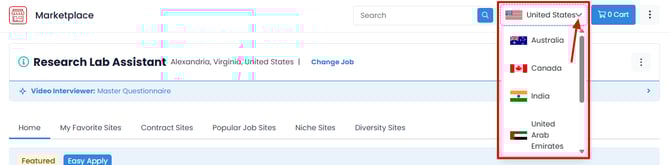
💡NOTE: If the country you're looking for isn't listed in the dropdown, use the search bar to find additional job sites.
- The country is auto-selected based on the location of your selected job.
- The available job boards will vary depending on the selected country and its offerings.
- To find additional sites, use the search bar.
- You have the flexibility to adjust your search to a different country, even if the job is not situated in that specific location.